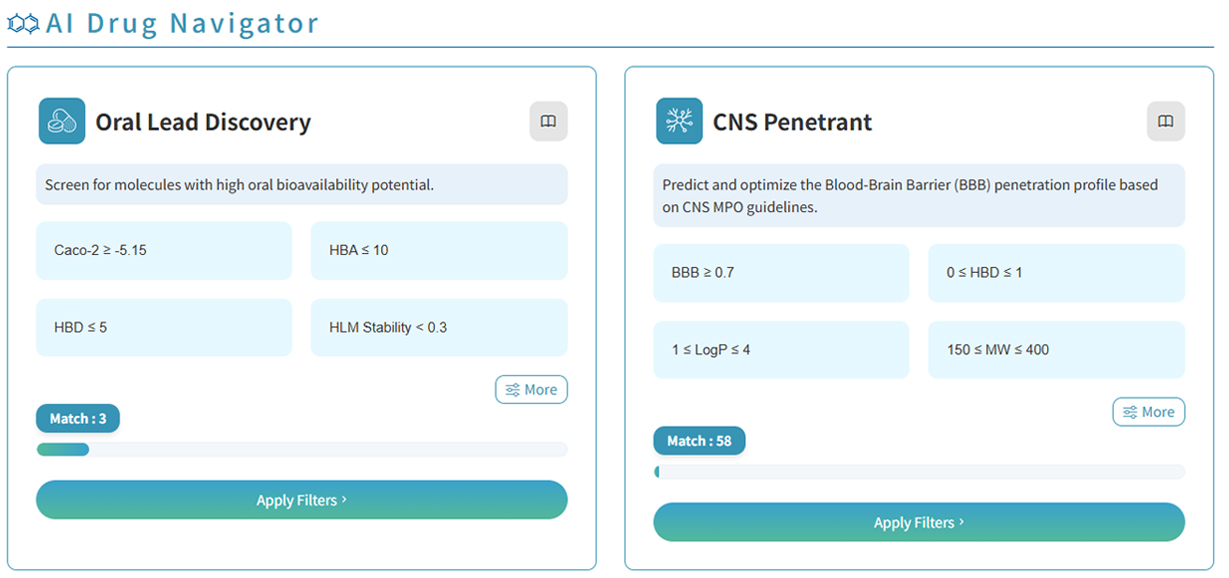
TDEC’s AI Drug Navigation Assistant helps users screen drug samples using predefined parameters for different drug discovery scenarios. Follow these steps:
- Open the “AI Drug Navigation Dashboard.”
- Select a drug discovery scenario that matches your research needs.
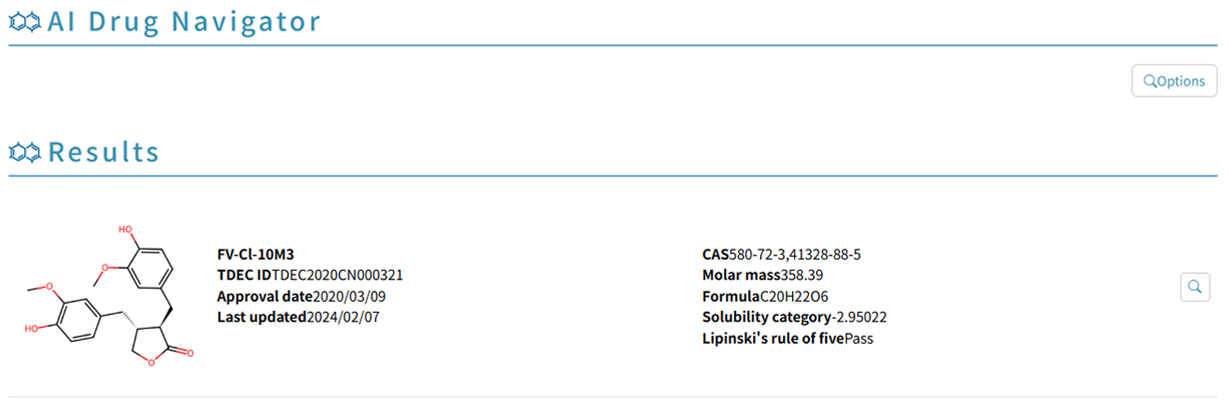
- Click “Apply Filters” to view the screening results.
To select a different scenario, click “Options” on the results page to return to the AI Drug Navigation Dashboard and make a new selection.
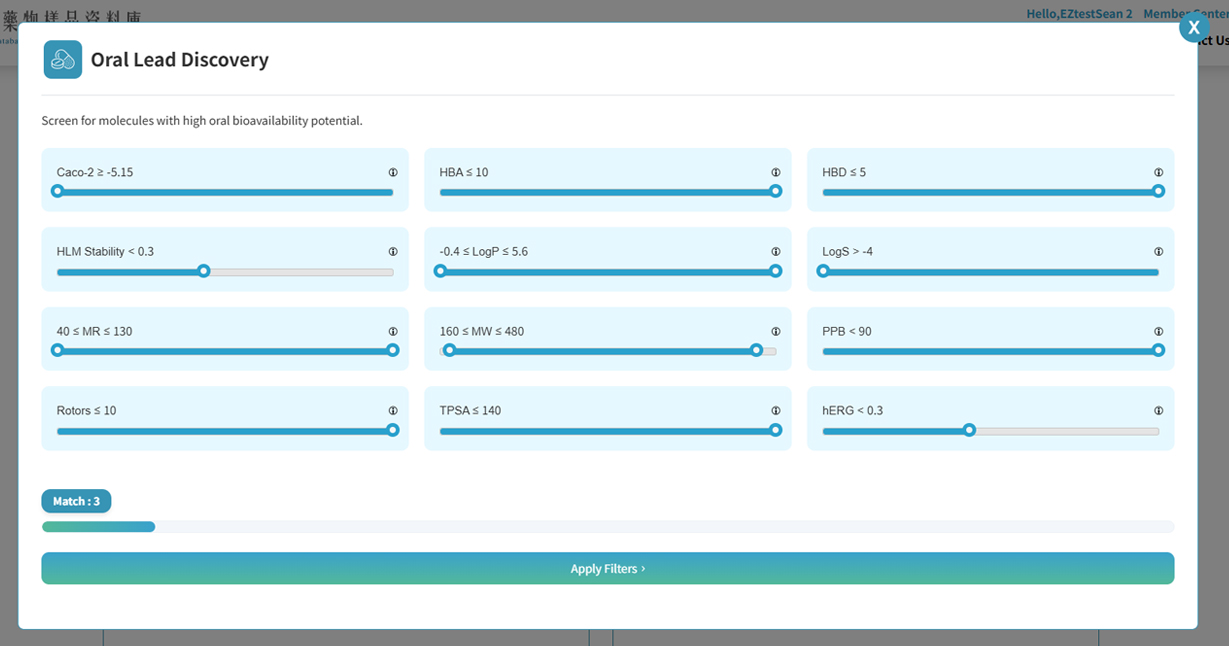
To fine-tune the screening parameters for the selected scenario, click “More” to open the parameter settings window and adjust the values manually. Adjustable parameters have predefined limits to keep the settings within the screening criteria for the selected scenario. Once you have finished, click “Apply Filters” to view the updated screening results.
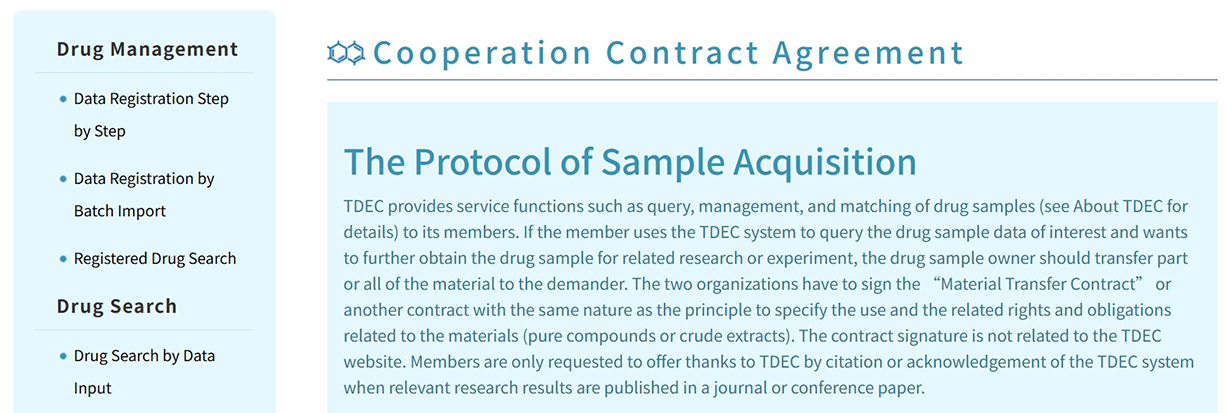
TDEC provides service functions such as query, management, and matching of drug samples. If the member uses the TDEC system to query the drug sample data of interest and wants to further obtain the drug sample for related research or experiment, the drug sample owner should transfer part or all of the material to the demander. The two organizations have to sign the “Material Transfer Contract” or another contract with the same nature as the principle to specify the use and the related rights and obligations related to the materials (pure compounds or crude extracts).
The contract signature is not related to the TDEC website. Members are only requested to offer thanks to TDEC by citation or acknowledgement of the TDEC system when relevant research results are published in a journal or conference paper.